Open AI to your staff.Keep the company in control.
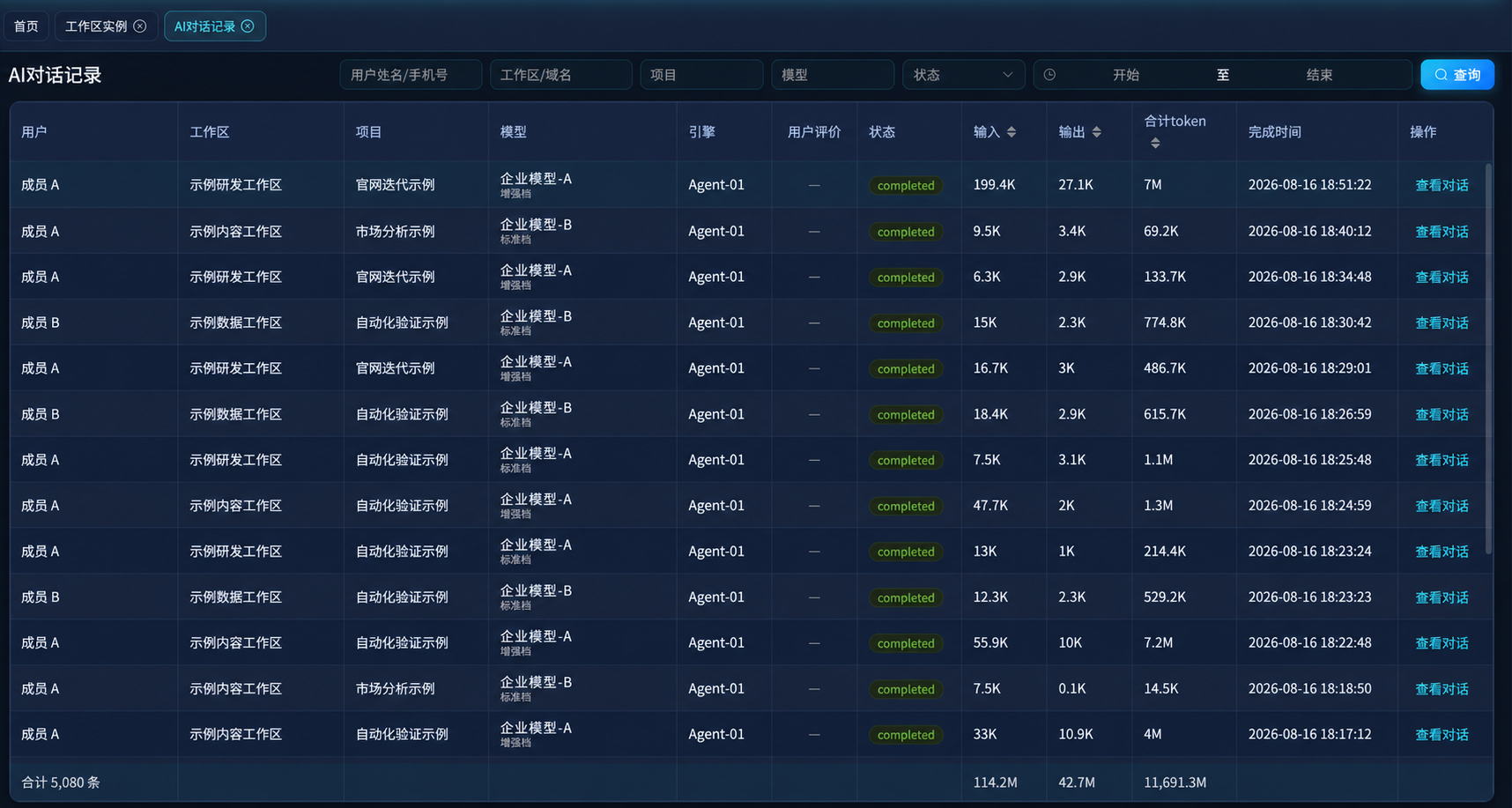
Employees start work from a single entry point, without installing an environment, obtaining keys or selecting a model. The models, agents and data available to each of them follow their project role. Every run is recorded on one ledger: who started it, and what it cost.
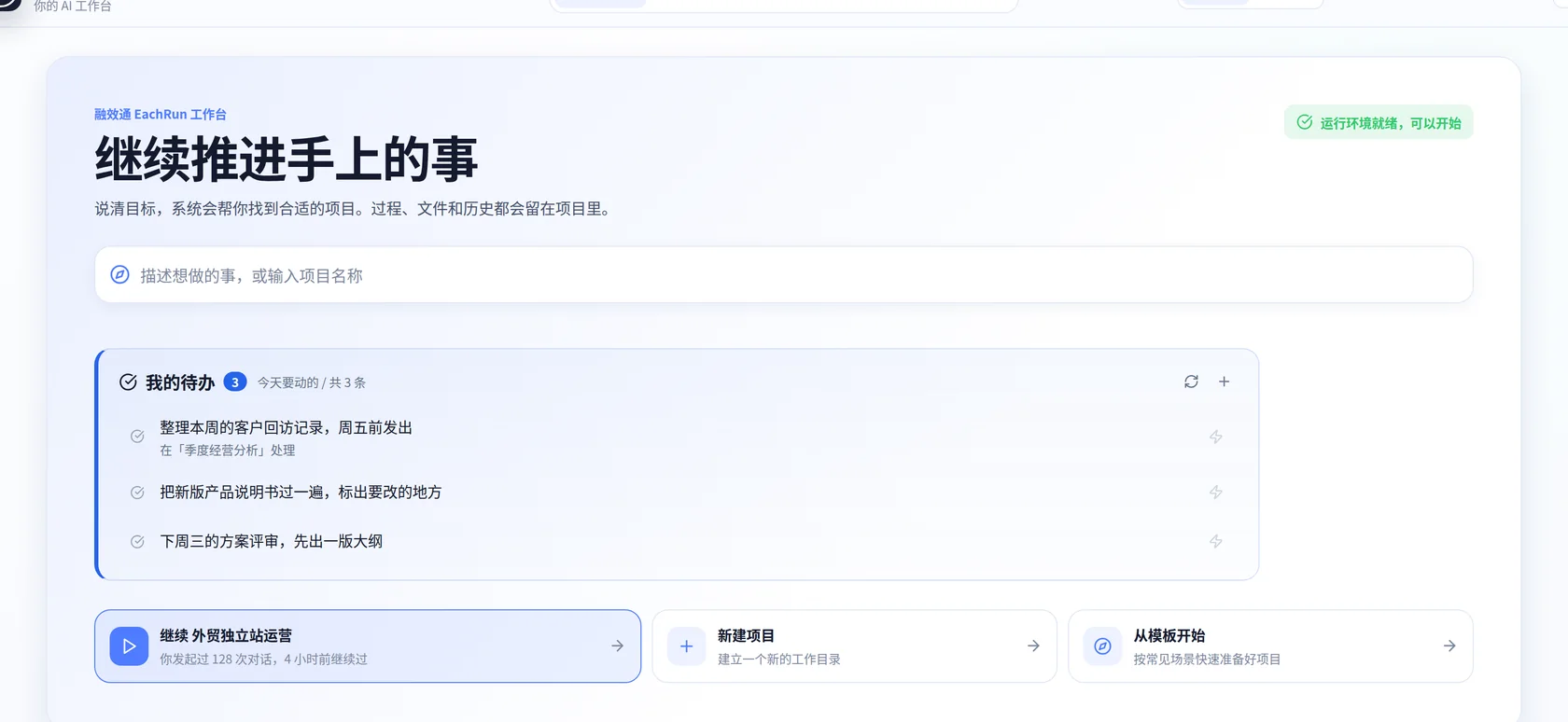
Employees start work in one place. Each execution remains attached to its project and owner.
Who uses it
Companies, public institutions and individuals run on the same platform
One set of workspaces, permissions and execution records underneath, with different priorities on top. A company needs AI doing actual jobs; a public institution needs the boundary settled first; an individual needs one place that holds the project and its history.
Companies
Put AI into specific jobs
Workflows break a job into steps and AI teams divide it by role, so staff need no prompting skills to begin
A method that worked once becomes a template the next project reuses
Usage and cost are attributed to a person, a project and a model, so returns can be compared across teams
Public institutions
Settle the boundary before the usage
Access control decides who may use which models, data and tools, and changes with the person's role
Requests, approvals, login logs and execution records all leave a trail available for later review
Private or hybrid deployment covers a requirement that data must not leave your premises
Individuals
One place that holds the project, the files and the history
A workspace is an actual machine with its own vCPU, memory and disk, rather than a chat window
Files, context and output stay with the project, so work continues on another machine
Install the capabilities you need from the market rather than configuring an environment
Core value
Opening AI up takes three things at once
One entry point, so employees build nothing themselves. One set of permissions, deciding what AI may see and do. One ledger, where every run is costed and traced. Miss any of them and AI stays with a few people trying it privately.
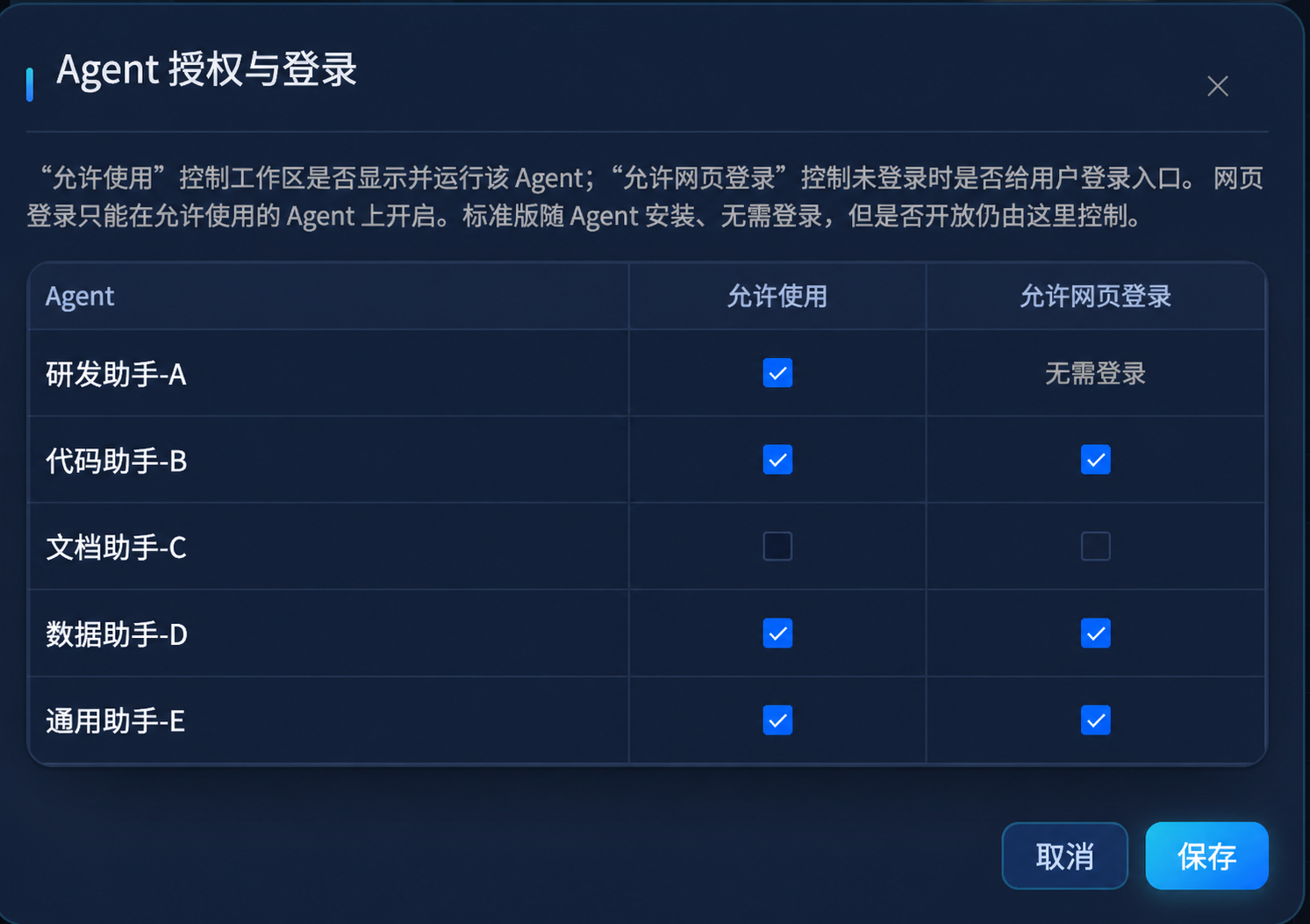
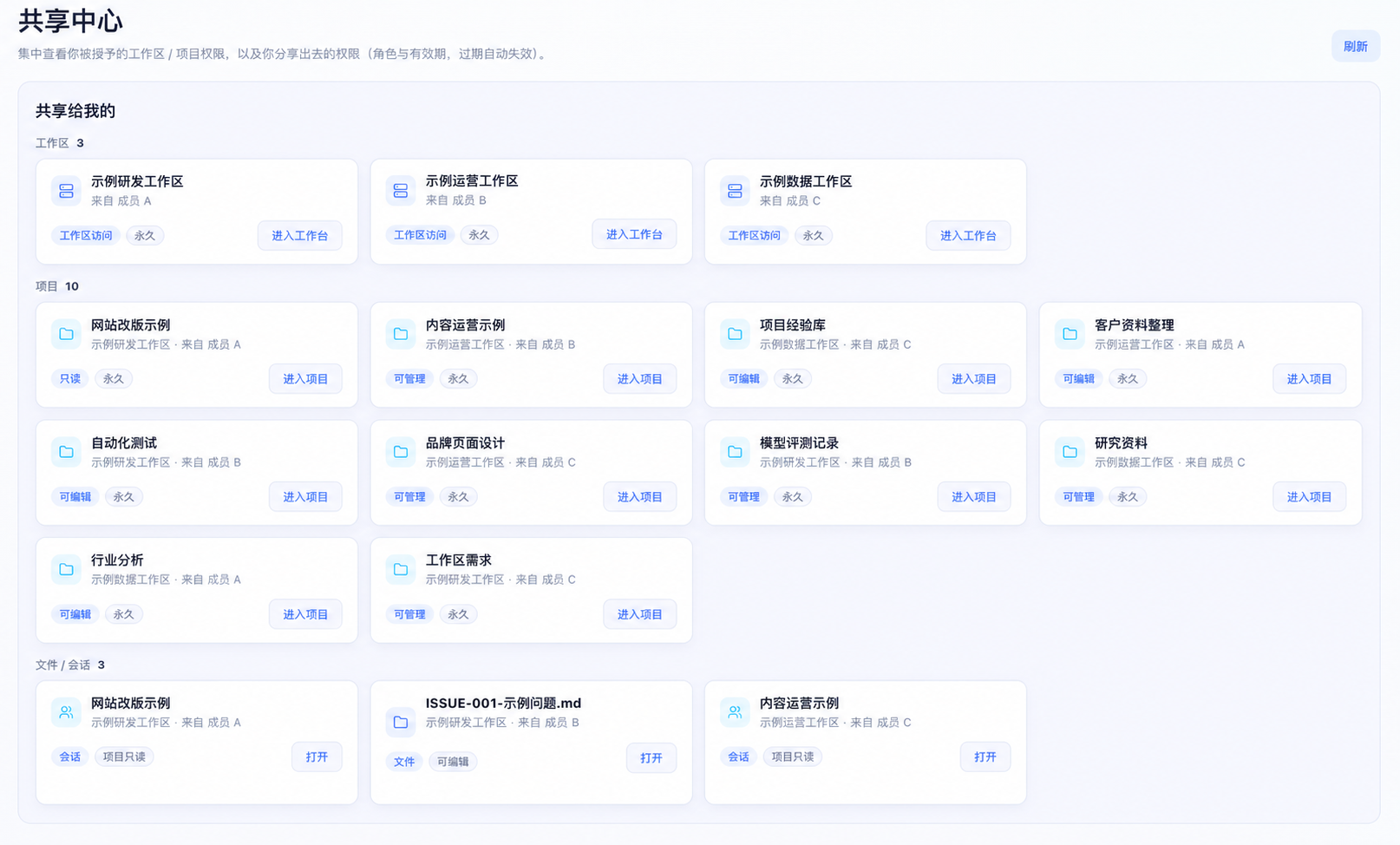
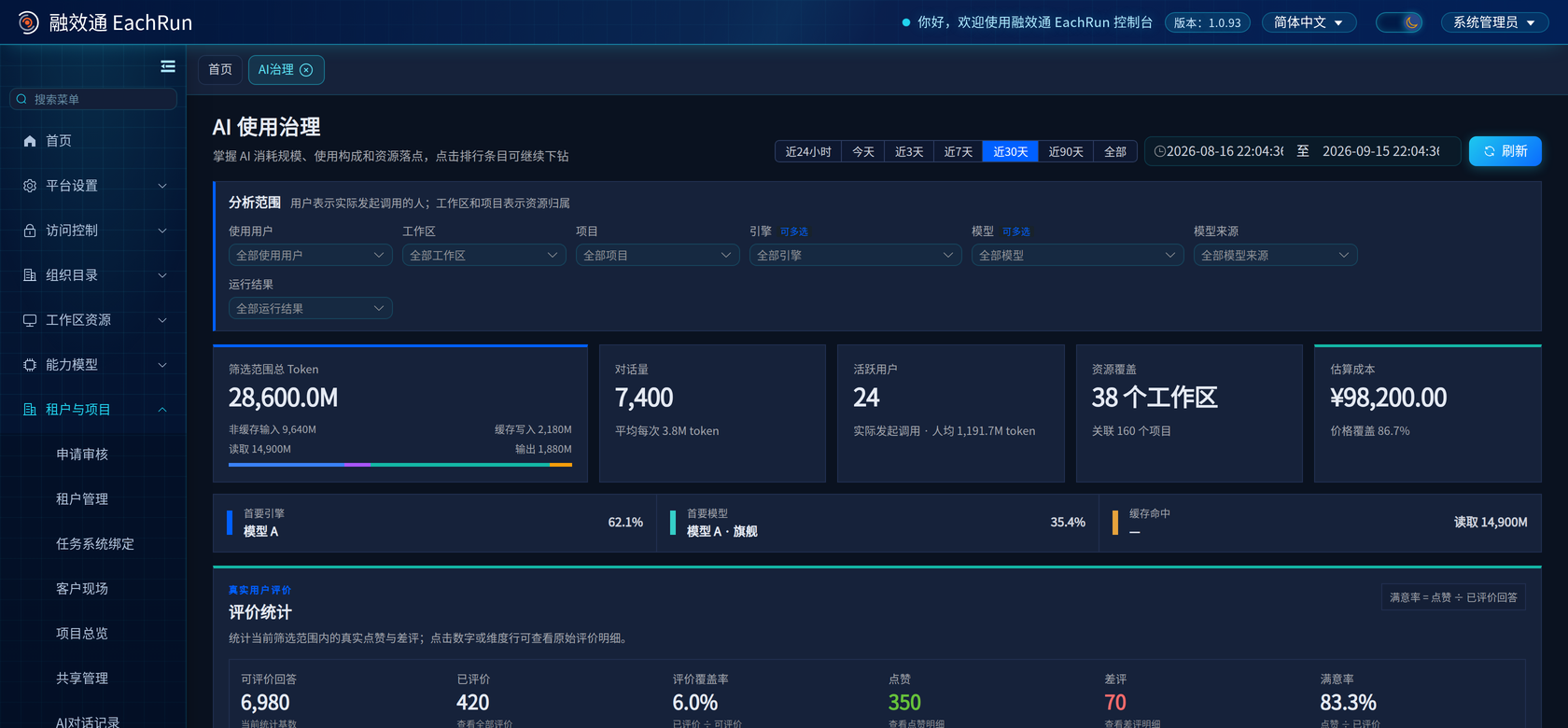
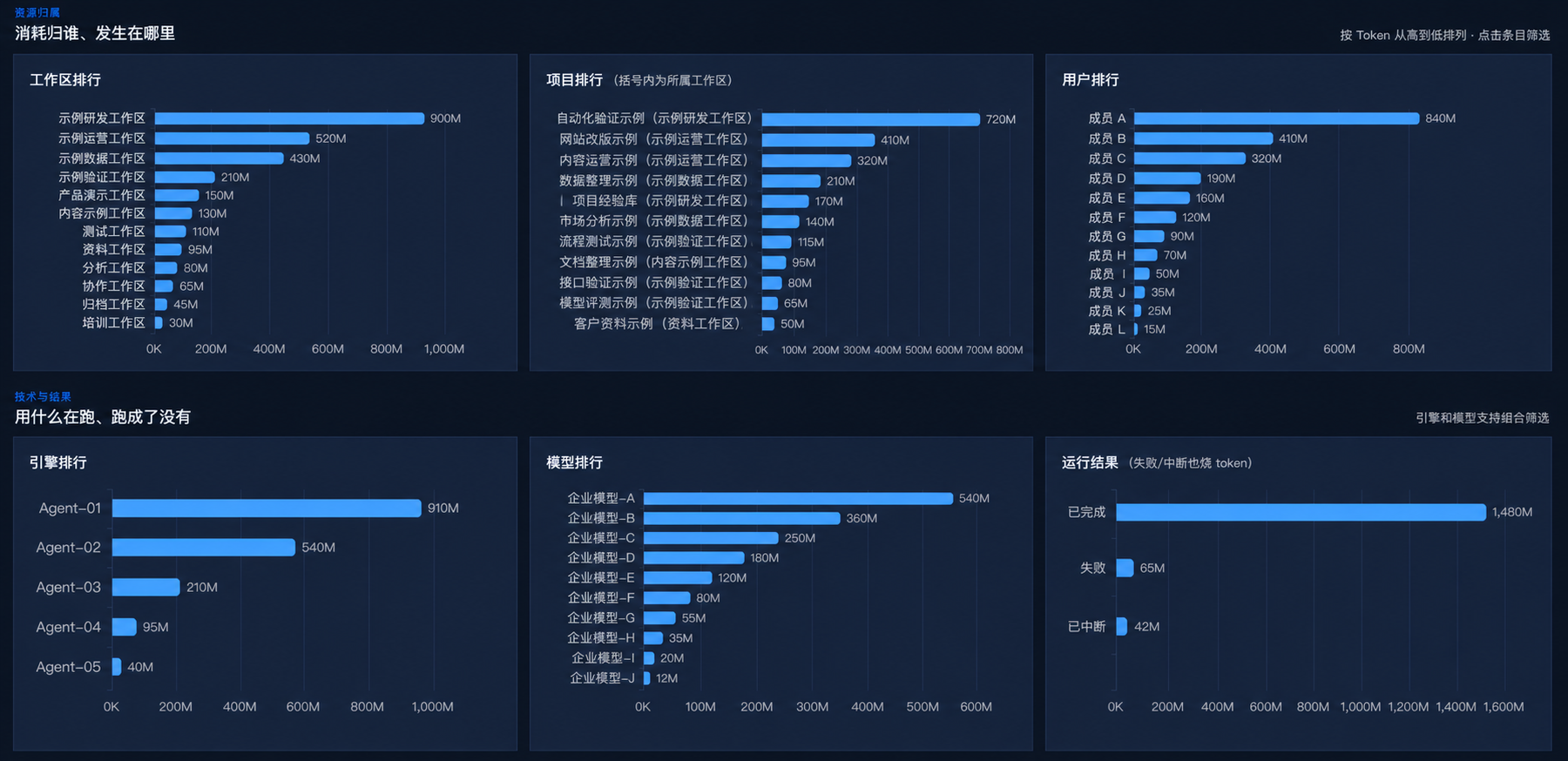
The entry point, the permissions and the ledger, as they appear in the system
These are real product screens, and each can be opened full size. People, projects, agents, models and operating figures have been replaced with demo data.
AI conversation recordsSearch by user, workspace, project, model and status while retaining usage and completion time.Agent accessAdministrators decide which agents may run in a workspace and whether web login is available.Share centerWorkspaces, projects, files and sessions carry roles and an access lifetime.AI governanceFilter by user, workspace, project, engine, model and run outcome, then read tokens, active users, cost and user ratings for that slice.Usage and run outcomesBreak usage down by workspace, project, user, runtime and model, then review completed, failed and interrupted runs.
One place to work, one place to manage it
The entry point, the permissions and the ledger are spread across seven screens. Employees use the first four daily; administrators oversee the last three.
Staff who do not know how to prompt can follow a workflow or bring in an AI team divided by role; agents arrive as sealed packages the platform distributes.

 Scan to contact our business team